
Comparing Microsoft Teams Premium vs Standard for your Brisbane business, is the upgrade worth the extra cost or does standard Teams already cover what you need?
For Queensland SMBs comparing Teams Premium vs Standard, the challenge is that Microsoft’s own feature comparison pages are dense and difficult to read. Most guides either list every technical specification without context, or make broad generalisations that do not reflect how a small or medium-sized business actually uses Teams day to day.
This guide takes a different approach. It explains what standard Teams already includes, what Teams Premium actually adds, and how to work out whether the upgrade makes financial sense for your specific situation. If you are a business owner or IT decision-maker in Brisbane or South-East Queensland trying to make a practical licensing decision, this is the breakdown you need.
Key Takeaways
- Standard Teams, included in Microsoft 365 Business plans, is already a capable platform for most everyday collaboration needs.
- Teams Premium adds AI-powered meeting recaps, advanced webinar tools, meeting security controls, and live translation.
- The most common reason Brisbane SMBs upgrade is AI meeting summaries, which save significant follow-up time for meeting-heavy teams.
- You only need to licence users who require Premium features, not your entire organisation.
- Teams Premium costs approximately $15 to $16 AUD per user per month on top of your existing Microsoft 365 subscription.
- Some features that previously required Teams Premium were moved into standard plans in Microsoft’s 2026 licensing updates.
- XCD IT helps Brisbane SMBs review their Teams usage and make the right licensing decision.
What Standard Teams Already Includes
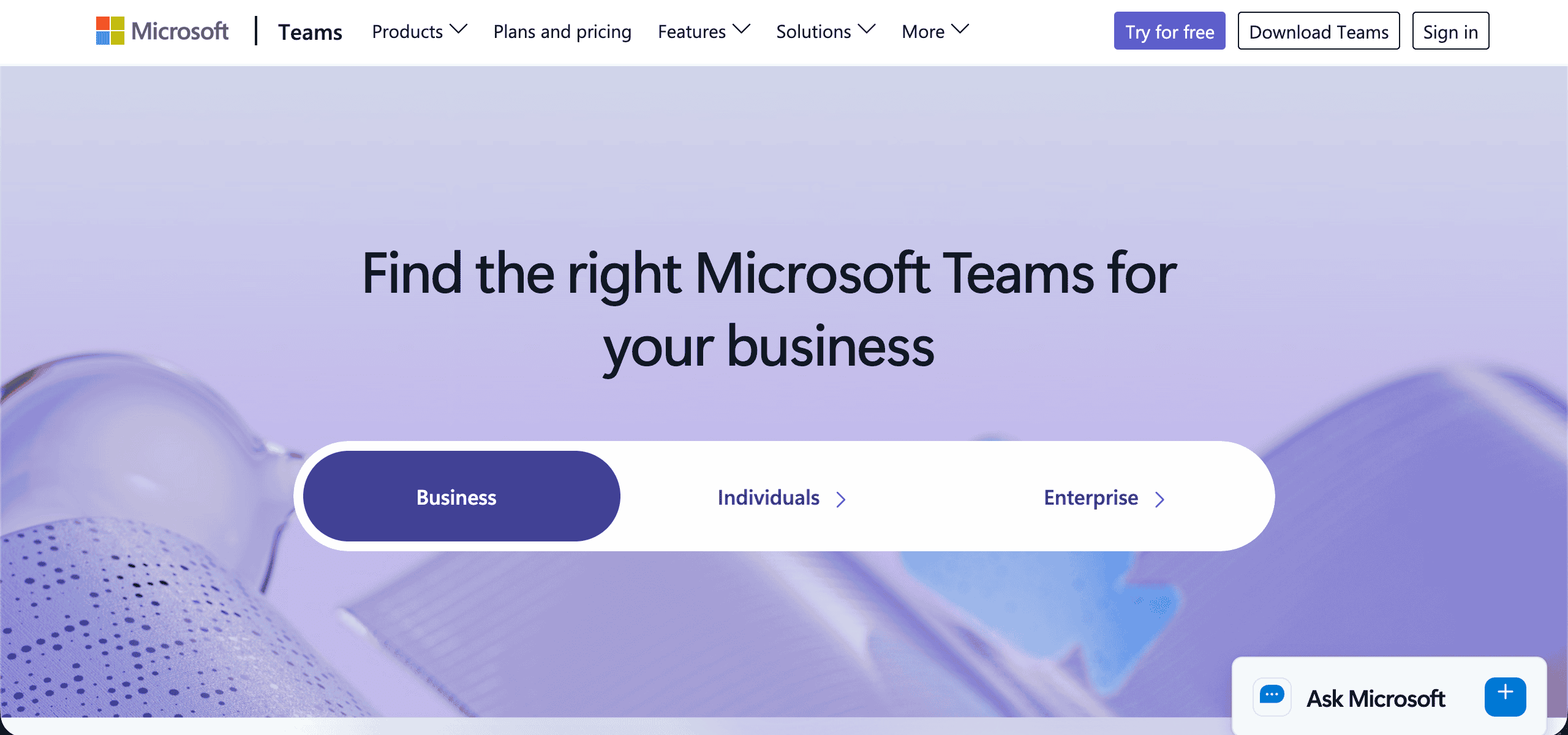
Before evaluating whether Teams Premium is worth the cost, it is important to understand what you already have. Standard Teams, included in Microsoft 365 Business Basic, Business Standard, and Business Premium plans, is a more capable platform than many Brisbane SMBs realise.
Out of the box, standard Teams gives your organisation:
- Unlimited chat and messaging within your organisation, including direct messages and group conversations
- Video meetings with up to 1,000 participants for internal meetings, or 300 for standard meetings
- Meeting recording stored in OneDrive or SharePoint, with automatic transcription
- File sharing and co-authoring integrated with SharePoint and OneDrive
- Real-time collaboration on Word, Excel, and PowerPoint files directly within Teams
- External meeting access via browser, so clients and partners can join without a Teams account or app install
- Teams channels for persistent, topic-based team conversations organised by project or department
- Outlook calendar integration for scheduling, accepting, and joining meetings
- Basic webinar functionality supporting up to 1,000 attendees with registration management
- Integration with Microsoft 365 apps including Planner, Forms, Power Automate, and Loop
For most everyday collaboration needs across a Brisbane SMB, this is genuinely comprehensive. Teams is not a stripped-back entry product that requires Premium to function well. The standard version handles the vast majority of internal communication, file collaboration, and meeting needs for most small and medium-sized businesses.
Teams Premium builds on top of this foundation. It does not replace what you already have. It adds a specific set of capabilities that solve particular problems, and whether those problems are relevant to your business determines whether the upgrade is worthwhile.
What Teams Premium Adds: Feature by Feature

AI Meeting Recap and Intelligence
This is the capability that drives the majority of Teams Premium upgrades among Brisbane SMBs, and for good reason.
Standard Teams allows meetings to be recorded and transcribed. After the meeting, you can search the transcript or replay the recording. That is useful, but it still requires someone to actually go back and review the content, identify what was decided, and work out who needs to do what.
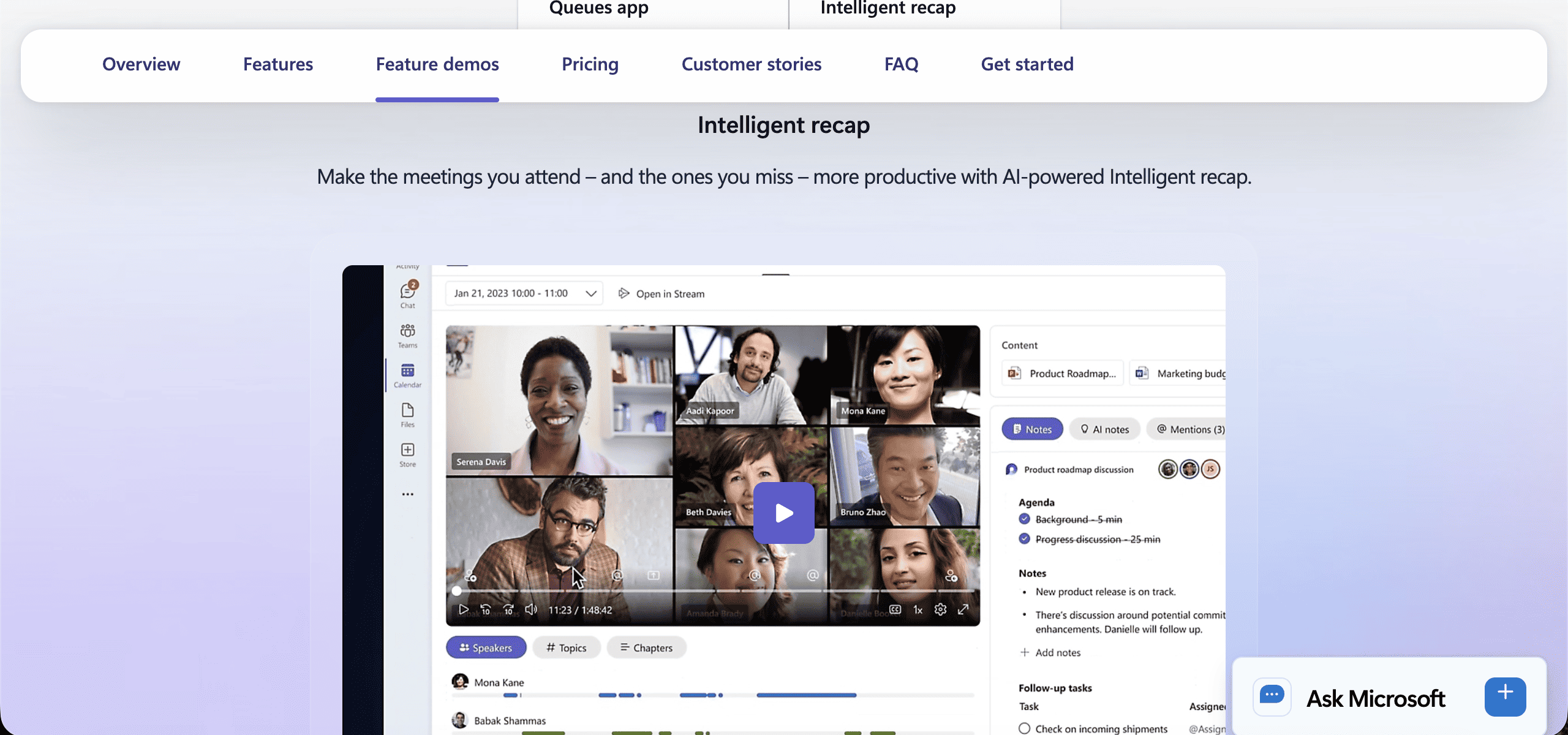
Teams Premium changes this with AI-generated meeting intelligence. After a recorded and transcribed meeting, the AI automatically produces an executive summary of the discussion, a list of action items with the names of the people responsible for each one, chapter markers by topic so you can navigate directly to relevant sections of the recording, and personalised highlights that surface what was specifically said about you or your assigned tasks.
For meeting-heavy organisations, this is not a minor convenience feature. It is a meaningful productivity improvement. Consider how much time your team currently spends writing up meeting notes, chasing action items that were not clearly documented, or re-watching recordings to find a specific decision.
For a team of 10 people attending four or five meetings per week, AI recap can realistically save each person 30 to 45 minutes of follow-up work every week.
The limitation worth noting: AI recap requires that the meeting is both recorded and transcribed. This is a setting your administrator controls. XCD IT configures this as part of Teams Premium setup for our Brisbane clients.
Advanced Webinar Tools
Standard Teams includes basic webinar support. You can host an event, manage attendee registration, and present to a large audience. For internal training or simple external events, that is often enough.
Teams Premium extends the webinar experience significantly for client-facing businesses. The additions include a green room where presenters and panellists can prepare, test their audio and video, and coordinate before attendees are admitted.
Attendee registration includes custom confirmation and reminder emails rather than generic Microsoft templates. Q&A is structured and managed rather than relying on the standard meeting chat.
The entire event experience, from the registration page to the meeting lobby, can carry your organisation’s branding including logo, colours, and background images. After the event, detailed attendee reporting shows who registered, who attended, how long they stayed, and engagement metrics.
For Brisbane businesses that run regular client webinars, external training programmes, or product demonstrations, the gap between standard Teams webinars and Premium webinars is significant. The standard experience looks like an internal meeting. The Premium experience looks like a professional hosted event.
Custom Meeting Branding
Related to webinars but applied more broadly, Teams Premium allows your organisation to apply custom branding across all meeting experiences. This includes the pre-join screen that attendees see before entering a meeting, the meeting lobby, and the overall meeting environment.
For client-facing businesses, this matters more than it might initially seem. When a client joins a Teams meeting and sees your logo and brand colours rather than Microsoft’s default grey and purple interface, it reinforces professionalism and brand consistency in the same way that a branded email signature or a well-designed proposal document does.
For internal-only teams where meetings are never attended by external parties, custom branding is a lower priority. For businesses in professional services, consulting, real estate, finance, or any sector where external meetings are frequent, it adds a polished and professional touch to every client interaction.
Meeting Security Enhancements
Standard Teams provides solid baseline security: encryption in transit and at rest, meeting lobby controls, attendee permissions management, and the ability to restrict who can present or share content.
Teams Premium adds a layer of controls that are specifically relevant for meetings where sensitive or confidential information is discussed.
End-to-end encryption, which in standard Teams is available only for one-to-one calls, is extended to group meetings in Teams Premium. This means that meeting content is encrypted such that even Microsoft cannot access it, not just encrypted in transit between participants and Microsoft’s servers.
Watermarking allows your organisation to display the attendee’s email address as a visible watermark over video feeds and shared content during a meeting. This is a deterrent against unauthorised screen capture or recording of sensitive content, since any leaked screenshot or recording can be traced back to the specific attendee whose email address is visible.
Sensitivity labels allow your IT administrator to apply policies to specific meetings. For example, a meeting labelled as Confidential might automatically disable recording, prevent attendees from forwarding the meeting link, and restrict transcript access to participants only.
For most Brisbane SMBs running standard internal meetings, these features are not necessary. For businesses that regularly discuss board-level matters, conduct M&A conversations, handle sensitive client data in legal or financial services, or have specific compliance obligations, they address a genuine security requirement.
Live Translation

Standard Teams provides captions during meetings in your chosen language, but only if the speaker’s language is detected correctly. There is no translation between languages.
Teams Premium adds real-time spoken language translation across more than 40 languages. During a meeting, you can hear the audio in your preferred language while other participants speak in theirs. Captions reflect the translated content in real time.
For Brisbane businesses with international clients, offshore development teams, or staff from diverse language backgrounds, live translation removes a friction point that standard Teams cannot address. It is also relevant for Queensland businesses in sectors with significant international engagement including tourism, resources, education, and import and export.
Advanced Meeting Analytics
Standard Teams provides administrators with basic usage analytics: how many meetings were held, how many participants attended, and broad usage trends across the organisation.
Teams Premium adds per-meeting engagement analytics that are more granular and more actionable. You can see attendance at the individual level, engagement scores based on active participation, and data on which sections of a recording were replayed or skipped.
For businesses running regular training sessions, client briefings, or internal presentations, this data helps identify whether content is landing effectively and where participants are disengaging.
Microsoft Teams Premium vs Standard: Side-by-Side Summary
| Feature | Standard Teams | Teams Premium |
|---|---|---|
| AI meeting summary and action items | No | Yes |
| AI chapter markers in recordings | No | Yes |
| Advanced webinar tools (green room, branding) | No | Yes |
| Meeting watermarking | No | Yes |
| End-to-end encryption for group meetings | No | Yes |
| Sensitivity labels for meetings | No | Yes |
| Live spoken language translation | No | Yes |
| Custom meeting branding | No | Yes |
| Meeting engagement analytics | Basic | Advanced |
| Meeting recording and transcription | Yes | Yes |
| Persistent chat and channels | Yes | Yes |
| File sharing and collaboration | Yes | Yes |
| Standard meeting functionality | Yes | Yes |
The Cost Equation: Is Teams Premium Worth It for Your Business?
Teams Premium costs $10 USD per user per month, approximately $15 to $16 AUD, on top of your existing Microsoft 365 subscription. You only need to licence users who require the Premium features, not your entire organisation.
This selective licensing is important. In most Brisbane SMBs, the users who benefit most from Teams Premium are a specific subset of the total workforce: managers and team leads who run meetings and need AI recap, staff who deliver client-facing webinars or presentations, and executives whose meetings involve sensitive content requiring enhanced security controls. Support staff, production workers, or employees who primarily use Teams for chat do not need Premium licences.
To evaluate whether the cost is justified, it helps to think through the value against specific scenarios.
Scenario 1: Meeting-heavy professional services team

A Brisbane accounting firm with 12 professional staff who each attend six to eight meetings per week. AI meeting recap saves each person 30 minutes of note-taking and follow-up documentation per week. That is six hours per week across the team, or around 300 hours per year.
At a conservative staff cost of $50 per hour, that is $15,000 in recovered time annually, against a Premium licence cost of roughly $3,000 per year for 12 users. The return is clear.
Scenario 2: Business development team running client webinars

A Queensland technology company with four business development staff who run client webinars monthly. Premium webinar tools improve the professionalism of every event, provide structured Q&A, and deliver post-event engagement data. The licence cost for four users is around $750 per year. If better webinar experiences convert even one additional client per year, the return is significant.
Scenario 3: Small team that rarely records meetings
A Brisbane trades business with eight staff who use Teams primarily for chat and occasional informal video calls. Meetings are rarely recorded. No external webinars are run. There is no confidential content requiring enhanced security. In this scenario, Teams Premium adds little practical value. Standard Teams is the right choice.
The honest answer is that Teams Premium is not for every business. It is for businesses where the specific features it adds solve real, recurring problems.
The 2026 Licensing Context: Microsoft Teams Premium vs Standard
It is worth noting that Microsoft’s 2026 licensing updates moved some capabilities that previously required Teams Premium into standard plans, including certain room booking and event hosting features. If your Brisbane business was paying for Premium primarily for those features, a licence review is worthwhile to confirm you are still getting value from the upgrade.
The core Premium differentiators, including AI meeting recap, advanced webinar tools, meeting security controls, and live translation, remain Premium-only features and have not been moved to standard plans.
How XCD IT Helps Brisbane SMBs Make the Right Decision
If you are uncertain whether Teams Premium makes sense for your team, XCD IT can review how your organisation actually uses Teams and give you a clear, practical recommendation.
We look at meeting volume and recording habits, whether your team runs external-facing events, what your security requirements are, and which users would genuinely benefit from Premium features versus which users are fine on standard.
We also make sure that when Premium is the right choice, it is properly configured so you get the features you are paying for. AI recap requires specific recording and transcription settings. Advanced webinar tools require setup before your first event.
Sensitivity labels require configuration in the Microsoft Purview compliance portal. These are not complicated, but they do need to be done correctly, and many businesses that upgrade to Premium do not realise these features are not automatically active.
As a Microsoft Partner supporting over 100 SMBs across Brisbane, the Gold Coast, and the Sunshine Coast, XCD IT manages Microsoft 365 licensing as part of our ongoing managed service. That means your licensing stays aligned with how your business actually works, and you are not paying for features you do not use or missing tools you have already paid for.

Need Reliable IT Without the Surprise Costs?
With XCD IT, you get fully managed IT support for around $100–$250/month per user, with no hidden costs or unexpected bills.
Call 07 3085 7447
For urgent IT issues or immediate assistance
Our support team is ready to help.
Frequently Asked Questions

- 8+ Best Cybersecurity Companies in Brisbane (2026 Guide for SMBs) - November 7, 2026
- 20 Best Managed IT Service Companies in Brisbane (2026 Guide for SMBs) - November 7, 2026
- Co-Managed IT: How It Works With Your In-House IT Team - November 4, 2026


