
For Queensland SMBs already using Microsoft 365, what is Microsoft Azure is one of the most common technology questions we hear from business owners who know they should probably understand it but have never had it explained clearly.
Azure is one of those terms that gets mentioned in every conversation about cloud infrastructure, business continuity, and IT strategy – but rarely explained in a way that helps a non-technical business owner make an informed decision. This guide does exactly that. Plain English, no jargon, and a clear answer on whether Azure is relevant to your business right now.
Key Takeaways – What Is Microsoft Azure for Brisbane SMBs
- Microsoft Azure is Microsoft’s cloud computing platform – a global network of data centres, including in Australia, that provides computing, storage, security, and infrastructure services over the internet
- If your Brisbane business already uses Microsoft 365, you are already operating inside the Microsoft cloud ecosystem – Azure is the natural infrastructure extension of that environment
- Azure operates data centres in Sydney and Melbourne, meaning your data can remain in Australia and subject to Australian law
- For most Brisbane SMBs, the most relevant Azure services are virtual servers, cloud backup, disaster recovery, and identity management
- Azure pricing is consumption-based – you pay for what you use, with no upfront hardware investment
- XCD IT is a Brisbane-based Microsoft Partner that designs, deploys, and manages Azure environments for SMBs across South-East Queensland
What Is Microsoft Azure?
Microsoft Azure is Microsoft’s cloud computing platform. In practical terms, it is a massive global network of data centres – including in Australia – that provides computing power, storage, networking, security, and hundreds of other technology services over the internet.
Instead of buying and maintaining physical servers in your office or a data centre, you access those capabilities through Azure and pay for what you use. When you need more capacity, you add it in minutes. When you need less, you scale back. No hardware to buy, no data centre to manage, no capital expenditure on infrastructure that sits underutilised most of the time.
If your business already uses Microsoft 365 – email, Teams, Word, Excel, SharePoint – you are already in the Microsoft cloud ecosystem. Azure is the infrastructure layer that sits beneath and extends that ecosystem into virtual servers, cloud backup, advanced security, and enterprise-grade computing.
Why Does Microsoft Azure Matter for Australian Businesses Specifically?
Australian Data Centres – Data Sovereignty and Performance
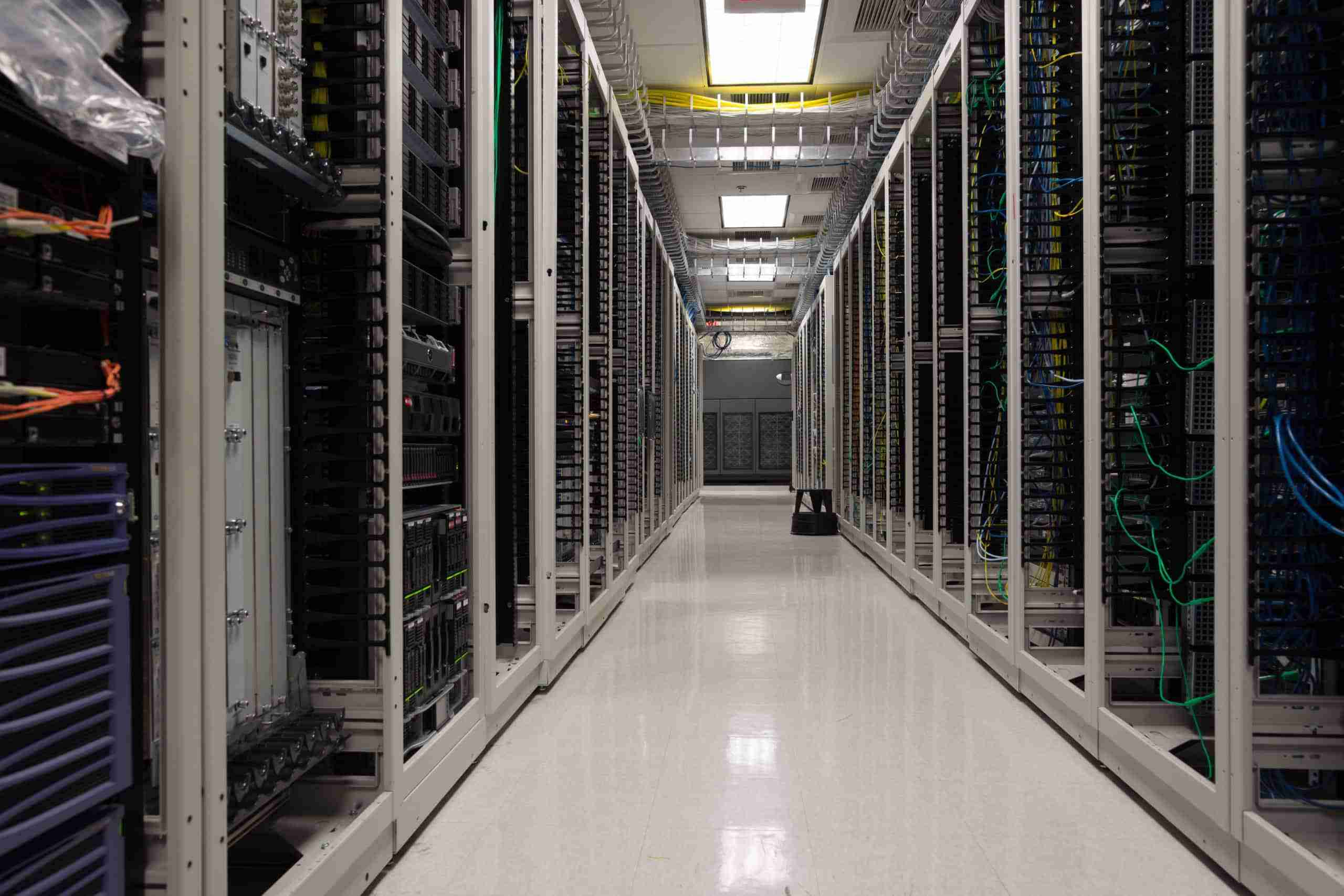
Microsoft operates Azure data centres in Sydney and Melbourne. For Brisbane and Queensland SMBs, this matters for two reasons.
First, data sovereignty. Your data stays in Australia, subject to Australian law and the Australian Privacy Act. For businesses in regulated industries – financial services, healthcare, legal – keeping data within Australian borders is often a compliance requirement rather than a preference. Both Azure regions satisfy this requirement, and Microsoft provides data residency guarantees that most businesses in regulated sectors need.
Second, performance. Cloud services perform better when they are geographically close to the users accessing them. Australian data centres mean lower latency and faster response times compared to workloads hosted overseas. For Brisbane businesses with staff accessing cloud-hosted applications throughout the working day, that performance difference is noticeable. Cloud solutions built on Azure’s Australian regions give Queensland SMBs infrastructure performance comparable to an on-premises server – without the hardware cost.
Microsoft 365 Integration
For businesses already on Microsoft 365, Azure is the natural extension of the same ecosystem. Azure and Microsoft 365 share the same identity platform – Microsoft Entra ID – the same security tools, and the same management interface. This integration means that adding Azure services to a Microsoft 365 environment is straightforward, and security policies apply consistently across both without needing to manage two separate systems.
This is one of the most practical reasons why Azure tends to be the right cloud platform for Microsoft-centric Brisbane businesses. The integration overhead is minimal compared to mixing Microsoft 365 with AWS or Google Cloud – and the management stays inside one place your IT provider already knows.
What Can Microsoft Azure Actually Do for a Brisbane SMB?
Azure offers hundreds of services, but for a small or medium business in Brisbane, the most relevant ones fall into a handful of clear categories.

Virtual Servers and Computing
Azure lets you run virtual servers in the cloud. Instead of buying and maintaining physical server hardware, you provision virtual machines through Azure and pay by the hour or month. For Brisbane SMBs running line-of-business applications, file servers, or databases, this means the same capability without the capital expenditure, the hardware lifecycle management, or the risk of a single point of physical failure.
Cloud Backup and Disaster Recovery
Azure Backup and Azure Site Recovery are among the most common entry points for Brisbane SMBs adopting Azure. They allow businesses to back up on-premises servers and data to Azure’s Australian data centres, and to recover those systems quickly if something goes wrong – whether that is a hardware failure, a ransomware attack, or a natural disaster affecting the office.
For Brisbane businesses still relying on local backup drives or NAS devices, Azure Backup removes the single point of failure that on-site backup creates. Your backup data is geographically separated from your primary infrastructure, replicated across multiple locations, and recoverable on demand. This is one of the most cost-effective first steps into Azure and directly supports monitoring and maintenance practices that protect Brisbane SMBs from data loss.
Security Services
Azure includes Microsoft Defender for Cloud, which monitors both your Azure environment and on-premises infrastructure for security threats. It provides security scoring, vulnerability assessments, and real-time alerts – the kind of continuous security monitoring that would previously have required dedicated security software and specialist expertise.
For Brisbane businesses working toward ASD Essential Eight compliance or managing obligations under the Australian Privacy Act, Azure’s built-in security capabilities provide a foundation that on-premises infrastructure typically cannot match. This is directly relevant to the cybersecurity posture of any Queensland SMB handling sensitive client data.
Identity and Access Management
Microsoft Entra ID – formerly Azure Active Directory – is the identity backbone of the Microsoft cloud. It manages who can access what across your Microsoft 365 and Azure environments, enforces multi-factor authentication, and enables single sign-on across all connected applications. If your business uses Microsoft 365, you are already using Entra ID. Azure extends and deepens that identity management capability as your environment grows.
Microsoft Azure Virtual Desktop
Azure hosts virtual desktop environments that allow staff to work from any device, from anywhere, with a full Windows experience streamed securely from Azure’s Australian data centres. For Brisbane businesses with remote or hybrid teams, or those looking to extend the life of ageing hardware, Azure Virtual Desktop removes the dependency on the physical device without sacrificing the Windows experience staff are familiar with.
Networking and Hybrid Cloud
Azure provides virtual networks, VPN gateways, and connectivity tools that allow Brisbane businesses to extend their existing on-premises network into the cloud securely. This is the foundation of hybrid cloud environments – where your office infrastructure and Azure become a single connected environment, with workloads placed in whichever location best suits their requirements.
Is Microsoft Azure Expensive?

Azure pricing is consumption-based – you pay for what you use, with no upfront hardware investment. For Brisbane SMBs, this is generally a cost advantage over owning and maintaining physical servers sized for peak capacity that run at a fraction of that capacity most of the time.
That said, cloud costs can grow quietly if not actively managed. Virtual machines left running when they are not needed, storage that accumulates without review, and services provisioned for completed projects are common sources of unexpected bills. Azure Cost Management tools provide real-time spend visibility, and right-sizing virtual machines for actual workloads significantly reduces waste.
This is why having a managed IT provider who actively monitors and optimises your Azure spend is important. Cost management is part of how XCD IT manages Azure environments for Brisbane clients – not something that gets addressed after the bill arrives.
Microsoft Azure vs AWS vs Google Cloud – Which Is Right for Brisbane SMBs?
For most Brisbane and Queensland SMBs, the cloud platform decision is straightforward. The right question is not which platform is technically superior – all three are capable. The right question is which platform fits the software environment your business already runs.
If your business is on Microsoft 365, Azure is the natural fit. The integration is tight, the management is unified, and you are already inside Microsoft’s ecosystem. Adding Azure services to a Microsoft 365 environment involves minimal integration overhead and keeps everything inside a single managed platform.
AWS and Google Cloud are strong platforms and the right choice for businesses with specific technical requirements, development-heavy workloads, or existing commitments to non-Microsoft software ecosystems. For a Brisbane SMB running Microsoft 365 as its primary platform, choosing AWS or Google Cloud as the cloud infrastructure layer introduces unnecessary complexity without a corresponding benefit.
Common Microsoft Azure Mistakes Brisbane SMBs Make

Provisioning Resources and Leaving Them Running
Virtual machines and other Azure resources run and bill continuously unless explicitly stopped or de-allocated. Brisbane businesses that provision test environments, project resources, or temporary workloads and forget to remove them when the work is done accumulate costs quietly. A regular Azure cost review – at least monthly – catches this before it compounds.
Assuming Azure Is Secure Out of the Box
Azure’s infrastructure is highly secure, but security in Azure is a shared responsibility. Microsoft secures the underlying infrastructure. The business – or its IT provider – is responsible for securing what is built on top of it. Misconfigured access controls, missing multi-factor authentication, and overly permissive network settings are the most common sources of security gaps in Azure environments. These are configuration issues, not platform limitations.
Starting Without a Clear Architecture
Deploying Azure services without a clear architecture plan – which workloads go where, how they connect, and how they are secured – produces environments that are difficult to manage, expensive to run, and harder to secure over time. Starting with a structured cloud planning process, even for a small initial deployment, avoids the rework that unplanned Azure environments typically require later.
Managing Azure Without Specialist Knowledge
Azure is powerful but complex. Brisbane businesses that attempt to manage Azure environments without specialist knowledge frequently end up with over-provisioned resources, security gaps, and cost overruns. Working with a Microsoft Partner who actively manages Azure environments for SMBs – rather than deploying and leaving – produces consistently better outcomes on cost, security, and reliability.
FAQs About Microsoft Azure for Brisbane SMBs
What Should Your Next Step Be?
For most Brisbane SMBs on Microsoft 365, the question is not whether Azure is relevant – it is which Azure services make sense now, and which ones to plan for as the business grows. Cloud backup and disaster recovery are the most common and most immediately valuable starting points. Virtual servers and Azure Virtual Desktop follow naturally as on-premises hardware reaches end of life.
XCD IT is a Brisbane-based Microsoft Partner that designs, deploys, and manages Azure environments for SMBs across South-East Queensland. We help businesses understand what Azure can do for them specifically, build environments that are secure and cost-effective from day one, and manage those environments so costs stay controlled and security stays current. Our managed IT services cover Azure architecture, ongoing management, and cost optimisation across Brisbane, the Gold Coast, and the Sunshine Coast.

- 8+ Best Cybersecurity Companies in Brisbane (2026 Guide for SMBs) - November 7, 2026
- 20 Best Managed IT Service Companies in Brisbane (2026 Guide for SMBs) - November 7, 2026
- Co-Managed IT: How It Works With Your In-House IT Team - November 4, 2026


