
Is your cybersecurity keeping up with today’s threats? Cyber risks are constantly evolving, and outdated systems are one of the easiest ways for attackers to gain access. Whether you’re an individual or a growing business, keeping your cybersecurity up to date is essential to protect your data, systems, and reputation.
Key Takeaways
- Regular updates help close security vulnerabilities
- Strong passwords and MFA reduce unauthorised access
- Employee awareness is critical for preventing attacks
- Backups protect against data loss and ransomware
- Secure connections (like VPNs) reduce exposure on public networks
Ways to Keep Your Cybersecurity Up to Date
1. Keep Your Software and Systems Updated
Outdated software is one of the most common entry points for cyberattacks. Hackers often exploit known vulnerabilities that have already been fixed in newer versions.
Keeping everything updated ensures you have the latest protections in place.
Focus on:
- Operating systems (Windows, macOS, mobile devices)
- Antivirus and security software
- Web browsers and essential apps
Keeping software updated is critical, as outdated systems are often targeted by attackers exploiting known vulnerabilities. As highlighted by industry experts, failing to apply updates can leave businesses exposed to preventable attacks.
2. Use Strong Passwords and Multi-Factor Authentication (MFA)
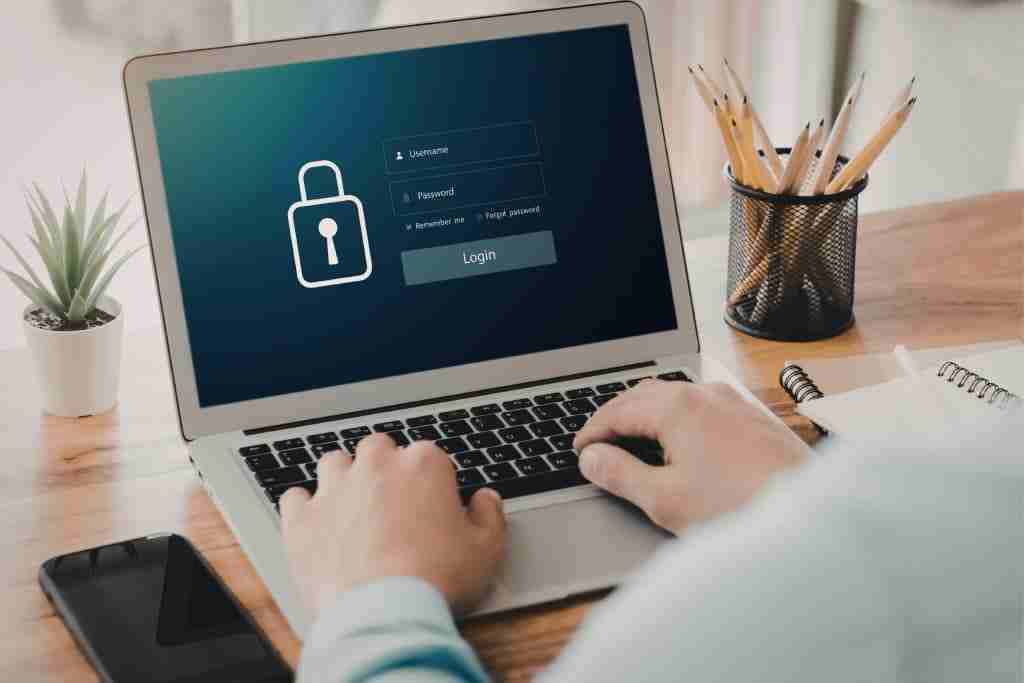
Weak or reused passwords make it easy for attackers to access accounts. Even a single compromised password can lead to a wider breach if systems are connected.
Using strong, unique passwords for each account is essential – but it’s not enough on its own.
Adding multi-factor authentication (MFA) provides an extra layer of protection by requiring a second form of verification, such as:
- A mobile authentication app
- A one-time code
- Biometric verification
This significantly reduces the risk of unauthorised access, even if a password is exposed.
3. Improve Awareness and Cybersecurity Training

Many cyberattacks succeed not because of technical weaknesses, but because of human error. Phishing emails, fake websites, and QR code scams rely on users making quick decisions without verifying the source.
Regular training helps individuals and employees:
- Recognise suspicious links and messages
- Avoid phishing and social engineering attacks
- Follow safe online practices
For businesses, ongoing awareness is one of the most cost-effective ways to reduce risk.
4. Regularly Back Up Your Data
Data loss can happen for many reasons – cyberattacks, hardware failure, or accidental deletion. Without backups, recovery can be difficult or even impossible.
A strong backup strategy ensures your data can be restored quickly if something goes wrong.
Best practices include:
- Storing backups in a secure, separate location
- Using automated backup systems
- Testing backups regularly to ensure they work
This is especially important for protecting against ransomware attacks, where data is locked or stolen.
5. Use Secure Connections (VPN and Network Protection)
Public Wi-Fi networks are convenient but often insecure. Without proper protection, attackers can intercept data transmitted over these networks.
Using a Virtual Private Network (VPN) helps encrypt your connection, making it much harder for others to access your data.
VPNs are particularly important when:
- Working remotely
- Accessing business systems on public networks
- Handling sensitive information
For businesses, combining VPN use with secure network configurations adds an extra layer of protection.
How to Build a Long-Term Cybersecurity Strategy
Cyber threats are evolving rapidly, with new risks emerging as technology advances, making it essential for businesses to continuously adapt their cybersecurity strategy.
Keeping your cybersecurity up to date isn’t just about reacting to threats – it’s about building a system that continuously protects your data, devices, and users over time. A strong long-term strategy reduces risk, improves resilience, and ensures your security evolves alongside new threats.
Establish a Clear Security Routine

Cybersecurity works best when it’s consistent. Instead of relying on one-off fixes, create a routine that keeps your systems protected at all times.
This should include:
- Regular software and system updates
- Scheduled security checks and audits
- Ongoing backup monitoring and testing
By turning these into standard processes, you reduce the chances of vulnerabilities being overlooked.
Implement Layered Security (Defence in Depth)

No single tool can protect your entire system. A strong cybersecurity strategy uses multiple layers of protection, so if one fails, others are still in place.
This may include:
- Antivirus and endpoint protection
- Firewalls and network security
- Multi-factor authentication (MFA)
- Secure cloud access controls
Layered security makes it significantly harder for attackers to gain full access to your systems.
Prioritise User Awareness and Behaviour

Even with the best tools in place, human error remains one of the biggest risks. Employees and users are often the first line of defence – or the weakest link.
To reduce this risk:
- Provide regular cybersecurity training
- Encourage cautious behaviour when handling emails, links, and QR codes
- Create simple guidelines for reporting suspicious activity
Building a security-aware culture is just as important as implementing technical solutions.
Monitor and Respond to Threats Early

Cyber threats don’t always happen instantly – many attacks develop over time. Without monitoring, suspicious activity can go unnoticed until it becomes a serious issue.
A good strategy includes:
- Real-time monitoring of systems and networks
- Alerts for unusual behaviour or access attempts
- A clear response plan for handling incidents
Early detection can prevent minor issues from turning into major breaches.
Review and Adapt Your Strategy Regularly
Cybersecurity is constantly evolving, and what works today may not be enough tomorrow. Regular reviews ensure your strategy stays effective.
You should:
- Assess new risks and emerging threats
- Update tools and processes as needed
- Adjust your approach based on past incidents or vulnerabilities
This ongoing improvement helps keep your security strong in the long term.
FAQs About Keeping Your Cybersecurity Up to Date
How often should I update my software?
You should install updates as soon as they are available, especially security patches. Many cyberattacks exploit known vulnerabilities, so delaying updates increases your risk. For businesses, it’s best to automate updates or schedule regular maintenance to ensure nothing is missed.
What is the biggest cybersecurity risk today?
One of the biggest risks is still human error. Phishing emails, fake websites, and social engineering attacks rely on users making quick decisions without verifying sources. This is why combining security tools with user awareness is essential.
Are free antivirus and security tools enough?
Free tools can provide a basic level of protection, but they often lack advanced features such as real-time monitoring, threat detection, and system-wide security management. For businesses or anyone handling sensitive data, more robust solutions are recommended.
Why are backups so important for cybersecurity?
Backups ensure you can recover your data in case of cyberattacks, hardware failure, or accidental deletion. They are especially critical for protecting against ransomware, where attackers lock or threaten to delete your data unless a payment is made.
What is the easiest way to improve cybersecurity quickly?
Start with the basics: update your software, use strong passwords, and enable multi-factor authentication (MFA). These simple steps can prevent a large percentage of common cyberattacks.
Do small businesses really need cybersecurity protection?
Yes – in fact, small businesses are often targeted more frequently because they typically have fewer security measures in place. Even a small breach can lead to data loss, financial damage, and loss of customer trust.

- 8+ Best Cybersecurity Companies in Brisbane (2026 Guide for SMBs) - November 7, 2026
- 20 Best Managed IT Service Companies in Brisbane (2026 Guide for SMBs) - November 7, 2026
- Co-Managed IT: How It Works With Your In-House IT Team - November 4, 2026


