
How can you tell if a website is secure before entering your personal or financial information? A simple website security check is one of the most important cybersecurity skills for both individuals and businesses, especially as phishing websites and online scams become more sophisticated across Australia.
Knowing how to tell if a website is secure can protect you from identity theft, financial loss, and malware infections. Modern browsers provide some warnings, but these are not enough on their own. Understanding the key signs of a secure website is essential before you click, download, or submit sensitive data.
Key Takeaways: Website Security Check
- A secure website uses HTTPS encryption, not HTTP.
- A visible padlock icon confirms an active SSL certificate.
- Legitimate companies provide clear and verifiable contact details.
- HTTPS does not automatically mean a website is trustworthy.
- Always double-check domain spelling and avoid urgent scare tactics.
- If something feels rushed or manipulative, stop and verify.
Why Website Security Check and Security Threats Matter for Australian Businesses
For businesses in Brisbane, Gold Coast, and Sunshine Coast, website security is not just a technical concern. It directly affects customer trust and business reputation. This is why many businesses rely on managed IT support to stay ahead of emerging threats. Clients expect their data to be handled securely, especially when submitting contact forms, making payments, or accessing online services.
With the rise of phishing attacks targeting Australian users, even small businesses are increasingly at risk. Ensuring your website is secure and knowing how to identify unsafe websites is essential for preventing harm and protecting both your business and your visitors.
Ways to Do a Website Security Check with Google Safe Browsing
1. Check for HTTPs in the Website URL
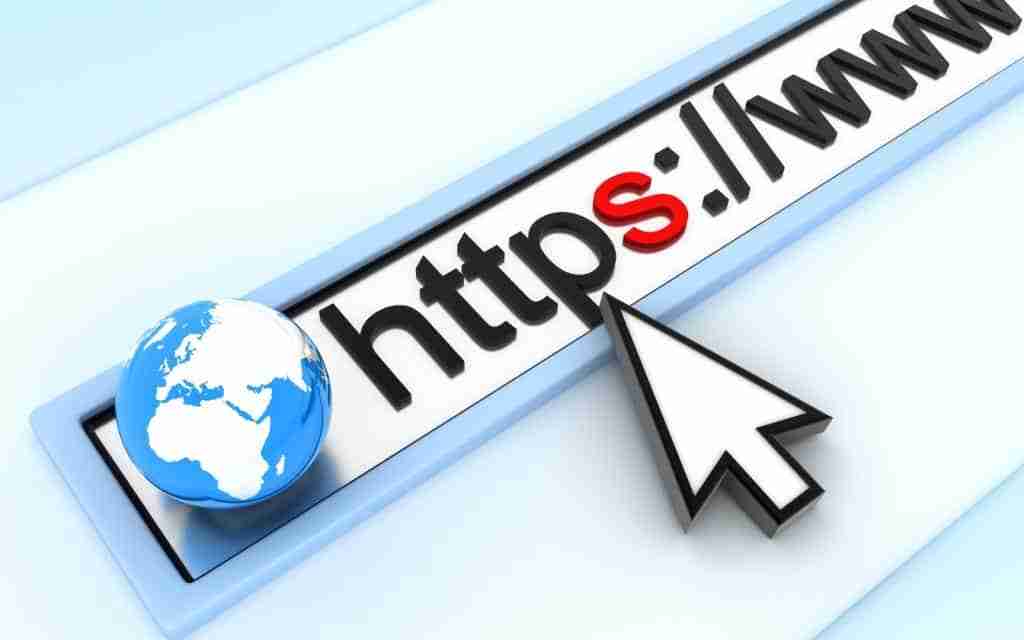
The fastest way to tell if a website is secure is to check the URL in your browser’s address bar before browsing or interacting with the page.
What Does HTTPS Mean?
HTTPS stands for Hypertext Transfer Protocol Secure. The “S” indicates that communication between your browser and the website is encrypted using SSL (Secure Sockets Layer) or TLS (Transport Layer Security), which is a core part of secure cloud environments.
Encryption protects data while it travels between your device and the web server. Without encryption, information is sent in plain text. It can potentially be intercepted by malicious actors.
Sensitive data that should always be encrypted includes:
- Login credentials
- Credit card numbers
- Online banking details
- Personal identification information
- Contact form submissions
According to Cloudflare, websites that use HTTP instead of HTTPS expose users to unnecessary security risks, including data interception and content manipulation. If a website does not use HTTPS, you should avoid entering any sensitive information because it may expose users to website security issues and other security vulnerabilities.
Why HTTPS Alone Is Not Enough
While HTTPS is essential, it should not be treated as proof that a website is legitimate. A fake or compromised site can still use HTTPS because SSL certificates are easy to obtain. This means a secure connection does not guarantee a trustworthy website.
Many phishing websites now use HTTPS for this exact reason. Users should combine HTTPS checks with other verification methods, such as reviewing the domain name, confirming business legitimacy, and relying on ongoing security monitoring where possible. Browser warnings can help flag obvious risks, but the site should still be verified manually before you trust it with sensitive information.
2. Look for the SSL Padlock Icon
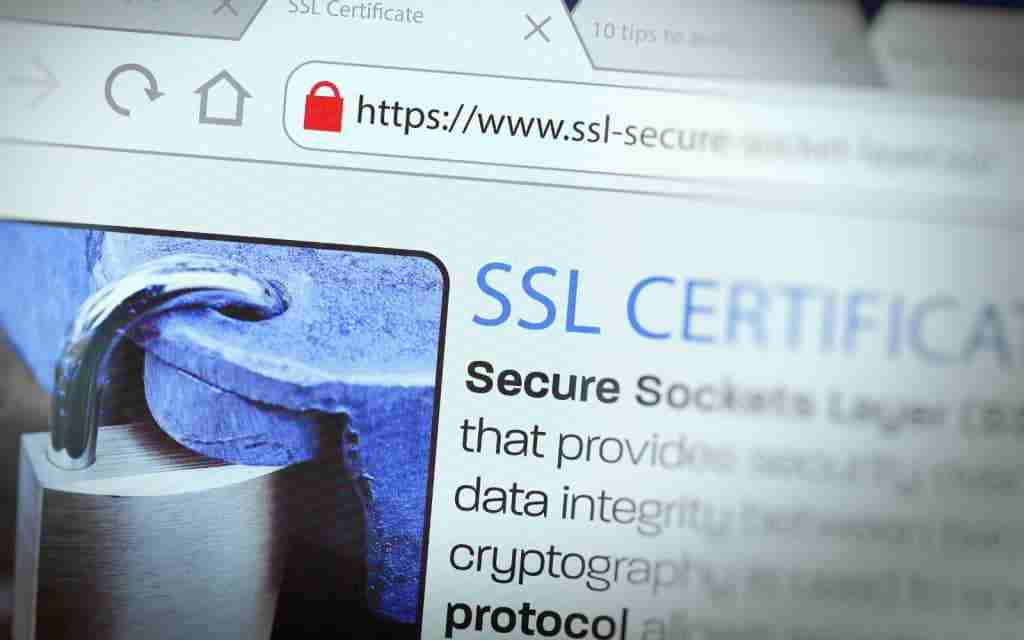
After confirming that a website uses HTTPS, the next step is to check for the padlock icon displayed in the browser’s address bar. This icon indicates that the website has an active SSL certificate and that the connection is encrypted.
The padlock is a visual confirmation of security, but it should not be the only factor you rely on. It is important to verify the certificate details to ensure it is valid and correctly issued as part of proper cybersecurity practices. SSL and TLS certificates should always be current and up to date, since an expired certificate can undermine the encryption it’s meant to provide.
How to Verify an SSL Certificate Using a Security Checker
Click on the padlock icon in your browser or use a security scanner tool to inspect the certificate details. Reviewing the certificate and any scan results also gives you the ability to spot broader security issues, not just SSL problems, and those findings can be present in reports for easier review. This allows you to confirm:
- The certificate is valid
- The domain matches the website name
- The certificate authority is recognised
- The certificate has not expired
Broader site security also depends on properly secured server configurations. Configuration files should have restrictive read and write permissions to limit what an attacker could access if they compromised part of the server.
SSL certificates are issued by trusted certificate authorities after verifying domain ownership. They help prevent:
- Man-in-the-middle attacks
- Session hijacking
- Data interception
- Browser spoofing
Without a valid SSL certificate, an attacker could potentially intercept login sessions or redirect users to malicious versions of websites. As cybersecurity experts note, scammers increasingly use temporary domains paired with basic certificates. This means you must combine this check with additional credibility indicators rather than relying on the padlock alone.
3. Review Company Information and Website Legitimacy
Phishing websites are designed to look convincing. They often copy the branding, layout, and messaging of legitimate businesses. Because of this, appearance alone is not a reliable way to determine whether a website is secure.
To properly assess a website, you need to verify the business behind it. A website safety checker can also assess whether a site is blacklisted before you share information. This is especially important before entering personal, financial, or login information. These checks are especially useful for WordPress sites, where outdated themes or plugins can expose common security issues.
Signs of a Legitimate Website
A legitimate website is usually backed by a real, verifiable business. Reputable companies are transparent about who they are and make it easy for users to confirm their credibility.
In most cases, you should expect to find:
- A physical business address
- A working customer support phone number
- A professional email address using the company’s domain
- An “About Us” page explaining the business
- Clear product or service information
- A visible privacy policy and terms of service
- Links to active and genuine social media accounts
These elements help confirm that the website represents an established organisation rather than a temporary or fraudulent setup. A website security checker can also identify outdated software and plugins. Frequent scanning of outdated components helps prevent cyberattacks before they happen.
How to Assess Website Credibility
Beyond basic contact details, it is important to evaluate how consistent and trustworthy the website feels overall. Legitimate businesses usually maintain a coherent structure across all pages, with clear navigation and relevant content. Some security tools also provide a visual representation, such as a dashboard or scan summary, that helps site owners or webmasters track credibility over time.
You should also check that the domain name matches the brand, and that any login or payment pages are appropriate for the service being offered. Poor website speed can affect trust and may point to neglected maintenance. If the experience feels inconsistent or poorly aligned, it may indicate a lack of legitimacy.
Warning Signs of a Fraudulent Website
Fraudulent websites often reveal subtle warning signs, especially when viewed alongside each other. While one issue alone may not confirm a scam, multiple red flags should raise concern.
Be cautious if a website:
- Pushes you to enter payment details immediately
- Lacks clear or verifiable contact information
- Contains spelling or grammar errors
- Uses domain names that closely mimic well-known brands
- Feels rushed, inconsistent, or overly aggressive
If you plan to visit a suspicious domain, run it through a website safety checker first. Many of these tools use Google Safe Browsing data to flag malware, phishing, and common scams. They can also review website behaviour and source code to detect malicious links, malicious content, malicious code, spam, sql injection, and cross site scripting. Google Safe Browsing itself protects over five billion devices every day, and it has warned users about malicious sites since 2006, having originally launched in 2005 to combat phishing attacks specifically.
If something feels off, it is always worth stepping back and verifying before proceeding. Taking a few extra seconds can prevent serious financial or security risks.
Understanding HTTP Security Headers and Website Security Issues
Beyond HTTPS and SSL certificates, HTTP security headers add another layer of protection that most users never see, but that plays a real role in keeping a website safe. These headers are instructions a website sends to your browser about how to handle its content.
A few common examples include:
- X-Frame-Options, which stops a site from being loaded inside a hidden frame on another page, a common technique in clickjacking attacks
- X-Content-Type-Options, which prevents browsers from misinterpreting file types in ways that can be exploited
- Content-Security-Policy, which restricts which scripts and resources a page is allowed to load
- Strict-Transport-Security (HSTS), which forces browsers to only connect to a site over HTTPS, even if a user types in an HTTP address
You won’t see these headers directly on a webpage, but businesses can check for them using free online header-checking tools, and a complete website security check should also review whether they’re configured correctly. For SMBs, ensuring these headers are configured correctly is a simple way to close off common attack paths without needing custom development work.
What to Do If You Suspect a Phishing Website
Even cautious users can occasionally land on a suspicious or fraudulent website. The key is not to panic, but to act quickly and minimise any potential risk.
If a business suspects its own site’s security has been compromised, a website security checker can help identify issues such as outdated software and plugins across the site and related apps. A Web Application Firewall can also provide ongoing protection for internet-facing systems against common attacks. The Sucuri Firewall, for example, is built specifically to stop website hacks and DDoS attacks before they reach the server.
Phishing attacks are designed to create urgency, so slowing down and taking the right steps can prevent further damage.
Immediate Steps to Take
If you believe a website may be fraudulent, your first priority is to stop any interaction with it. Do not enter personal information, login credentials, or payment details under any circumstances.
You should then take the following steps:
- Close the browser tab immediately
- Avoid clicking any links or downloading files from the site
- Clear your browser cache and cookies
- Run a malware or antivirus scan on your device
A free website security option is Sucuri SiteCheck, a website scanner that checks for known malware, viruses, blacklisting status, and website errors. Some website safety services examine over 80 databases to determine whether a site is safe, and some also send alerts when new risks are detected after checks. Running these checks helps reduce the risk of malware infections or further exposure.
If You Have Already Entered Information
If you have submitted personal or financial details, it is important to act as quickly as possible. Delays can increase the likelihood of misuse or unauthorised access. A fast response matters if attackers may already have the submitted information.
Take the following actions immediately:
- Change your passwords, especially for email and banking accounts
- Enable multi-factor authentication where available
- Contact your bank or financial provider if payment details were entered
- Monitor your accounts for unusual or unauthorised activity
Acting quickly can significantly reduce the impact of a potential breach. If the compromise happened through a business account rather than a personal one, it’s also worth reviewing tactics like consent phishing, which can bypass MFA entirely by tricking users into approving a malicious app.
Report and Verify the Website
Reporting suspicious websites helps prevent others from falling victim to the same scam. It also allows authorities and cybersecurity providers to take action against fraudulent domains.
For business owners, a website vulnerability scanner can detect over 75 types of vulnerabilities, including vulnerable software and other website security issues, which is useful for uncovering a wide range of risks.
This gives more reliable results, and providers often refine detection through ongoing security research and broader industry benchmarking. Integration with other security and development tools can automate reporting and follow-up for developers so teams can fix issues faster. Regular patching of your CMS and plugins reduces the risk of attacks.
That said, manual testing should still complement automated scans, and a manual test can help identify more complex vulnerabilities that scanning alone might miss. Once issues are found, prioritising them with a scoring system helps security teams handle remediation and compliance more efficiently.
You can report phishing websites through official channels such as Scamwatch or your local cybersecurity authority. If the website claims to represent a legitimate business, contact that company directly using verified contact details to confirm whether the site is genuine.
When in Doubt, Step Back and Verify
Regular checks help you stay ahead of phishing websites that rely on urgency and emotional pressure to force quick decisions. Taking a moment to pause and verify information can prevent costly mistakes.
If something feels off, it usually is. Trust your instincts, avoid rushing, and always confirm before interacting with unfamiliar websites.

Need Reliable IT Without the Surprise Costs?
With XCD IT, you get fully managed IT support for around $100–$250/month per user, with no hidden costs or unexpected bills.
Call 07 3085 7447
For urgent IT issues or immediate assistance
Our support team is ready to help.
Frequently Asked Questions About Website Security Check
Final Thoughts
Understanding how to tell if a website is secure is essential. Modern browsers provide built-in protections against certain threats, but they cannot prevent users from voluntarily entering sensitive information into fraudulent forms.
By checking for HTTPS, verifying the SSL certificate, reviewing company details, and recognising phishing red flags, you significantly reduce your exposure to cyber threats. Ongoing audits and continuous monitoring help maintain long-term website security for site owners and webmasters across websites and web applications.
Cybersecurity begins with awareness. Taking just a few seconds to evaluate a website before interacting with it can prevent identity theft, financial fraud, and data breaches. When in doubt, slow down and verify unfamiliar websites before you trust them with information that could put you or your customers at risk, especially if your business also needs to protect running web applications in the wider online world.

- 8+ Best Cybersecurity Companies in Brisbane (2026 Guide for SMBs) - November 7, 2026
- 20 Best Managed IT Service Companies in Brisbane (2026 Guide for SMBs) - November 7, 2026
- Co-Managed IT: How It Works With Your In-House IT Team - November 4, 2026


