
What are the best email security tools for Brisbane SMBs in 2026? Email remains the single most exploited attack vector for small businesses across Australia.
For Brisbane SMBs operating with limited IT resources and modest security budgets, choosing the right email security tools can mean the difference between business as usual and a devastating financial loss.
This guide breaks down the best email security tools for Brisbane SMBs, compares their strengths and limitations, and helps you pick the right solution based on your infrastructure, team size, and budget.
Key Takeaways
- Cyber attacks hit Australian small businesses roughly every six minutes, with self-reported losses averaging $56,600 per incident.
- Queensland has consistently reported the highest number of Business Email Compromise (BEC) incidents of any state, making layered email defence a genuine local priority, not just a national talking point.
- Microsoft Defender for Office 365 is the natural starting point if you already run Microsoft 365 Business Premium; Proofpoint and Trend Micro lead on detection accuracy for regulated and high-risk industries.
- SpamTitan offers the most budget-friendly entry point for solid baseline filtering; Mimecast stands out for built-in email continuity during outages.
- Effective email security is layered: authentication protocols (SPF, DKIM, DMARC), inbound threat detection, URL scanning, attachment sandboxing, and multi-factor authentication all work together, not as substitutes for one another.
- Even the best tool underperforms if poorly configured. Proper setup, policy tuning, and staff training separate secure businesses from vulnerable ones.
Quick Answer
For most Brisbane SMBs already on Microsoft 365 Business Premium, Microsoft Defender for Office 365 is the natural starting point since it’s built into the platform. If you handle sensitive data in a regulated industry and need the strongest threat intelligence, Proofpoint or Trend Micro are worth the higher cost.
Budget-conscious businesses needing solid baseline protection should look at SpamTitan, and businesses that can’t afford any email downtime should consider Mimecast for its built-in continuity guarantee.
Quick Comparison of the Best Email Security Tools
| Tool | Best For | Starting Price (approx.) |
|---|---|---|
| Microsoft Defender for Office 365 | Microsoft 365 environments | AU$3/user/month |
| Proofpoint Email Protection | Enterprise-grade threat intelligence | US$4–6/user/month |
| Barracuda Email Security Gateway | Flexible deployment options | Contact for quote |
| Mimecast Email Security | All-in-one email management | US$4–5/user/month |
| Sophos Email Advanced | Unified Sophos security ecosystem | Contact for quote |
| Trend Micro Email Security | BEC protection | Contact for quote |
| SpamTitan Email Security | Budget-conscious SMBs | US$3.74/user/month |
Why Email Security and Cyber Threats Matter for Brisbane Small Businesses
Every small business owner in South East Queensland should understand the scale of the email threat landscape. Cyber attacks hit Australian small businesses roughly every six minutes, with self-reported financial losses averaging around $56,600 per incident.
Email threats such as Business Email Compromise heavily target Australian businesses, and Queensland has consistently reported more BEC incidents than any other state. Credential-based attacks target businesses of all sizes, and protections once associated with large enterprises now matter for smaller organisations too, since a single compromised account can lead to invoice fraud, data theft, or ransomware deployment.
A single cyber attack can quickly grow into broader cyber incidents that disrupt operations and damage trust.
Cloud email filtering is essential for protecting business communications, but effective email security for SMBs relies on a layered defense. That means combining authentication protocols (SPF, DKIM, and DMARC records help verify domains and stop email spoofing), inbound threat detection, URL scanning, attachment sandboxing, data loss prevention, and encryption to meet modern cyber security expectations for Australian SMBs.
What separates a good email security solution from a great one comes down to detection efficacy, integration with your existing productivity tools, ease of management, and the depth of post-delivery protection like message retraction and internal email scanning.
How We Evaluated the Best Email Security Tools
We assessed each tool against criteria that matter most to Brisbane SMBs, with a focus on security best practice:
- Threat detection. How effectively does it catch phishing, malware, BEC, and zero-day threats? Investing in phishing detection and threat intelligence is vital for effective email security.
- Encryption and DLP. Does it protect critical data in transit and at rest?
- Platform integration. Integrated email security tools can leverage existing platforms like Microsoft 365 and Google Workspace, reducing deployment friction.
- Management simplicity. Visibility and management features are necessary for effective email security oversight, especially for teams without dedicated security staff, and should help protect users across email and connected devices.
- Cost. Total cost of ownership for businesses with 5-50 users.
- Local support and data residency. Local support is crucial for Brisbane businesses to manage email security issues effectively, and Australian data residency matters for compliance.
- Regulatory compliance. Email security solutions for SMBs often need to comply with local regulations including Australia’s Privacy Act and breach notification requirements, which is especially relevant for Australian SMBs.
Best 7 Email Security Tools for Brisbane SMBs
1. Microsoft Defender for Office 365 – Best for Microsoft 365 Environments
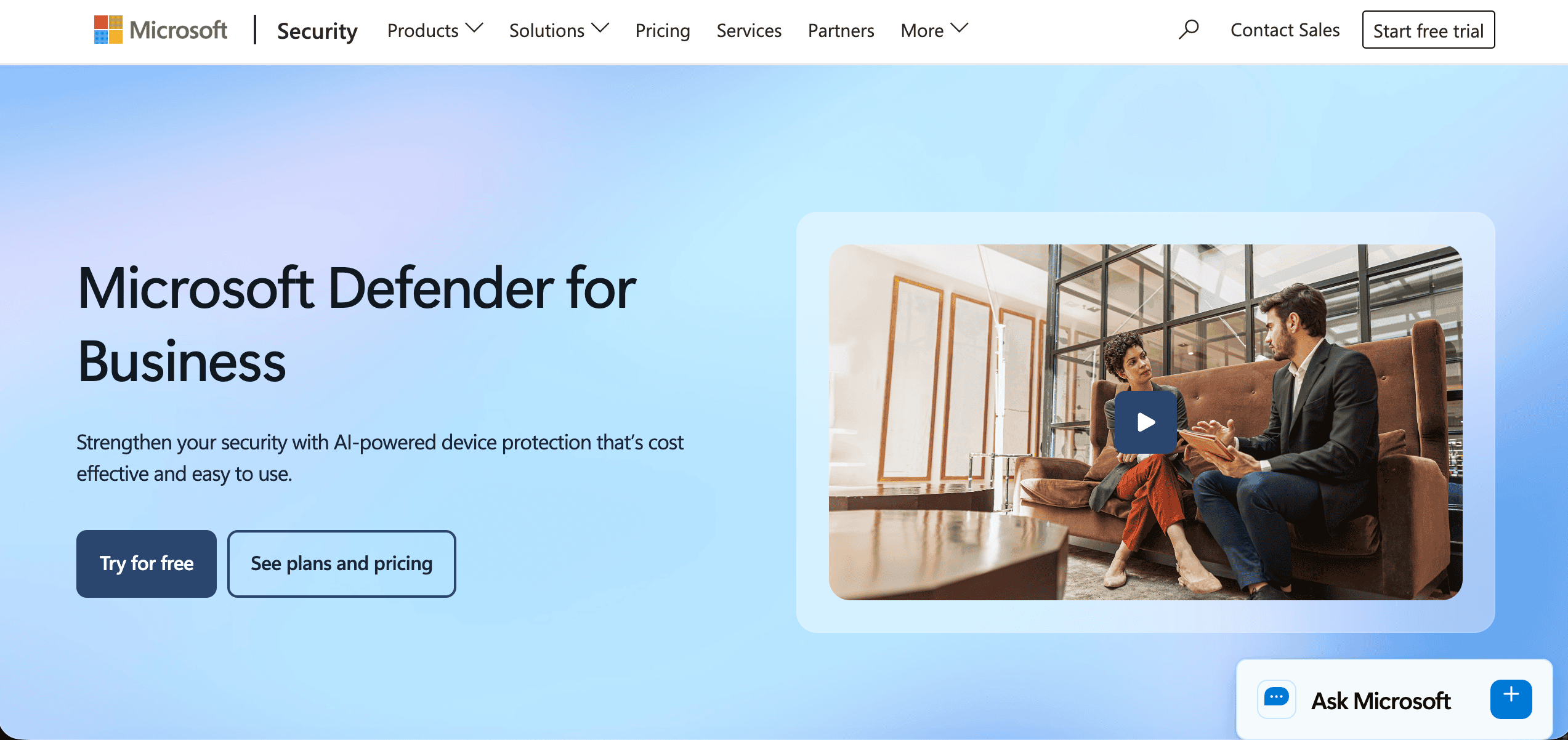
Microsoft Defender for Office 365 is the native security layer for Microsoft environments, available in Plan 1 (prevention-focused) and Plan 2 (adds threat hunting and attack simulation training).
Why It Stands Out
No other tool integrates as deeply with Microsoft 365. If your team already uses Outlook, SharePoint, OneDrive, and Teams, Defender extends protection across the entire collaboration stack without additional software or complex routing changes.
Best For
Brisbane SMBs already using Microsoft 365 Business Premium. Microsoft 365 offers three main plans for small businesses: Business Basic, Business Standard, and Business Premium, and Business Premium includes Microsoft Defender for Business security out of the box, making it the natural starting point. Most small businesses need desktop applications for productivity, so Business Premium is often the most practical choice. For more detail on whether Premium is worth the upgrade, see our guide on Microsoft 365 Business Premium.
Key Strengths
- Advanced threat protection with real-time analysis of links and attachments
- Safe Links and Safe Attachments features that scan at time of click
- Automated incident response capabilities in Plan 2
- Plan 1 at approximately AU$3/user/month; Plan 2 at AU$7.50
Possible Limitations
- Limited functionality with non-Microsoft email platforms
- Requires proper configuration for maximum effectiveness; default settings alone won’t catch sophisticated BEC
2. Proofpoint Email Protection – Best for Enterprise-Grade Threat Intelligence

Proofpoint consistently ranks among the top solutions for threat intelligence and detection accuracy, especially against targeted phishing and executive impersonation.
Why It Stands Out
Proofpoint’s people-centric approach to threat detection means it focuses on who is being targeted, not just what’s being sent. Its sandboxing technology and deep threat intelligence feeds deliver some of the lowest false-negative rates in the industry.
Best For
Brisbane businesses requiring enterprise-grade protection, especially those in finance, legal, or healthcare where the stakes of a breach are highest.
Key Strengths
- Superior phishing detection rates with automated remediation
- Comprehensive email archiving and compliance features
- Targeted attack protection for high-profile users and executives
Possible Limitations
- Higher cost compared to basic solutions (Proofpoint Essentials starts around US$4-6/user/month)
- Complex initial setup requiring technical expertise or MSP support
3. Barracuda Email Security Gateway – Best for Flexible Deployment Options

Barracuda provides both cloud and on-premises email security with a growing unified platform called BarracudaONE, which bundles email protection with endpoint and data security.
Why It Stands Out
Flexible deployment options let businesses choose between cloud-only, on-premises, or hybrid configurations. Barracuda has also partnered with CyberCert to help Australian businesses achieve SMB1001 compliance certification.
Best For
SMBs wanting control over their email security infrastructure, or those working with technology partners who resell Barracuda through MSP programs.
Key Strengths
- Strong spam filtering and virus protection with SPF/DKIM/DMARC support
- Email archiving with eDiscovery capabilities
- Incident response and forensics tools
Possible Limitations
- On-premises options require local IT management and network equipment expertise
- Full value requires commitment to higher-tier subscriptions
4. Mimecast Email Security – Best for All-in-One Email Management

Mimecast delivers an all-in-one cloud platform combining email security, archiving, and business continuity in a single console.
Why It Stands Out
Email continuity solutions maintain mail delivery during server disruptions, a feature most competitors charge extra for or don’t offer at all. If your business can’t afford email downtime, Mimecast is worth serious consideration.
Best For
Brisbane businesses needing comprehensive email management with built-in compliance and continuity features.
Key Strengths
- Business continuity with email uptime guarantee during outages
- Large file send capability for teams that regularly share documents
- Advanced threat detection and URL rewriting for click-time protection
Possible Limitations
- Premium pricing for the full feature set (base plans start around US$4-5/user/month, advanced suites US$6-10+)
- Occasional false positives requiring whitelisting and policy tuning
5. Sophos Email Advanced – Best for Unified Sophos Security Ecosystem

Sophos Email Advanced is a cloud-based email protection solution that integrates tightly with the broader Sophos Central security platform.
Why It Stands Out
Synchronized security is the key differentiator. When paired with Sophos endpoint security, the email and endpoint layers share threat intelligence in real time; if a device is compromised, email access can be automatically restricted through conditional access policies.
Best For
SMBs already using Sophos for endpoint detection and wanting unified device management and email protection under one dashboard.
Key Strengths
- Time-of-click URL protection that re-scans links at the moment a user clicks
- Sandstorm advanced threat analysis for suspicious attachments
- Easy integration with Sophos Central for centralized monitoring
Possible Limitations
- Best value when combined with other Sophos products
- Limited standalone email archiving features
6. Trend Micro Email Security – Best for BEC Protection

Trend Micro’s email and collaboration security suite (now part of Trend Vision One) offers powerful AI-driven detection, especially against threats that involve executive impersonation and BEC.
Why It Stands Out
Trend Micro’s “writing style DNA” technology analyses an executive’s email writing patterns and flags messages that don’t match, helping teams detect suspicious behavioural patterns that signature-based tools miss and catching impersonation attempts that traditional filters miss entirely.
Best For
Brisbane SMBs frequently targeted by sophisticated email threats, especially those with staff members handling financial transactions or sensitive business data.
Key Strengths
- AI-powered threat detection with behavioural analysis
- Writing style analysis for impersonation protection of high-profile users
- Flexible deployment options including cloud apps and hybrid environments
Possible Limitations
- Complex policy configuration, especially for writing style models
- Higher learning curve for administrators managing the platform
7. SpamTitan Email Security – Best for Budget-Conscious SMBs

SpamTitan from TitanHQ offers affordable, no-fuss email filtering that punches above its weight for budget-conscious businesses.
Why It Stands Out
At US$3.74/user/month for its “Secure” bundle, SpamTitan delivers solid spam and phishing protection without the enterprise price tag. Bundles that add archiving and security awareness training run around US$7.02/user/month.
Best For
Budget-conscious Brisbane SMBs needing reliable email protection as a first layer of defense.
Key Strengths
- High spam catch rate with low false positives
- User-friendly management interface that doesn’t require a dedicated security team
- Competitive pricing with optional bundles including backup and awareness training
Possible Limitations
- Limited advanced threat protection features compared to Proofpoint or Trend Micro
- Basic reporting compared to enterprise solutions
How to Choose the Right Email Security Tool
Choose Based on Your Current Email Platform
If you’re on Microsoft 365, Defender is the obvious starting point since it’s already partially included in several plans and integrates natively with Outlook.
For organisations on Google Workspace, tools like Trend Micro, Proofpoint, and SpamTitan work well as API-based or gateway overlays. For on-premises Exchange environments, Barracuda and Mimecast offer strong hybrid deployment. For help deciding between Microsoft Outlook and Exchange, we’ve published a separate comparison.
Choose Based on Your Security Requirements
Most businesses start with basic spam filtering, but the threat landscape demands more. Strong security for SMBs combines email filtering and identity controls.
Multi factor authentication (MFA) is part of Australia’s Essential Eight cybersecurity controls, and MFA blocks the vast majority of automated account takeover attempts. Phishing-resistant MFA is required for privileged users by 2026 as part of evolving cybersecurity standards.
Under the Essential Eight, phishing-resistant MFA becomes a requirement for privileged and system access from Maturity Level Two upward, so keep in mind that SMS-based MFA can be bypassed by adversary-in-the-middle attacks; use authenticator apps or hardware keys where possible. Every staff member with an MFA code adds a layer that stops credential theft.
Beyond email, your broader security posture matters. Traditional antivirus relies on signature-based detection methods and can’t keep pace with modern cyber threats.

EDR uses behavioral analysis for real-time threat detection, provides automated threat response capabilities, and can identify threats that traditional antivirus may miss.
EDR solutions are typically more complex and expensive than antivirus, but combining EDR with antivirus enhances overall cybersecurity posture significantly. For more context on how these layers work together, read our cybersecurity best practices guide.
Patch management is equally critical. The Essential Eight includes two controls related to patching, requiring patches for internet-facing services and applications with a known exploit to be applied within 48 hours, with a two-week window for everything else.
Unpatched systems are major targets for cybercriminals, and automated patch management reduces the risk of human error.
Documentation of patching is essential for compliance with frameworks like the Essential Eight. Use a password manager and enforce strong passwords alongside access controls to reduce risk across all accounts and operating systems.
Cybersecurity awareness training helps employees recognize phishing attempts before they click. Regular phishing simulations improve user resilience against email threats, and security awareness training should be part of any cybersecurity strategy. Consider cyber insurance policies as an additional safety net.
Choose Based on Your IT Resources
Self-managed solutions like SpamTitan or Defender Plan 1 suit teams that can handle the initial setup and ongoing tuning. For most small businesses without a dedicated security team, working with a managed IT provider makes more sense.
Managed Service Providers can support SMBs in implementing comprehensive email security solutions, handling configuration, monitoring, and incident response. If you’re evaluating how to choose an IT partner for Microsoft 365 and cybersecurity, look for local presence, relevant certifications, and experience with your industry.
Which Email Security Tool Is Best for You?
Choosing an email security solution should consider the needs of the business, its risk profile, and its customers, especially where trust and day-to-day communication matter. Here’s a quick decision framework:
- Choose Microsoft Defender for Office 365 if you’re already on Microsoft 365 Business Premium and want to stay ahead with native, cost-effective protection.
- Choose Proofpoint if you need the strongest threat intelligence and handle sensitive data in regulated industries.
- Choose Mimecast if you want comprehensive email management, archiving, and continuity in a single platform.
- Choose Barracuda if you need flexible deployment and value compliance certification support.
- Choose SpamTitan if budget is your primary concern and you need solid baseline filtering.
For businesses across Brisbane, the Gold Coast, and the Sunshine Coast, XCD IT can help evaluate your current email security, recommend the right tools for your environment, and handle implementation from start to finish as your dedicated IT provider.
Frequently Asked Questions

- Co-Managed IT: How It Works With Your In-House IT Team - November 4, 2026
- IT Maintenance Checklist for Small Businesses (Weekly, Monthly, Yearly) - November 1, 2026
- Best Business VPNs for Brisbane SMBs: Complete Guide for 2026 - October 21, 2026


