
Do you know what the real IT downtime cost for your Brisbane business looks like — or are you waiting for a significant incident to find out?
For Brisbane small businesses, IT downtime costs are almost always higher than they first appear. The visible expenses – the IT bill, the lost transactions – are only part of the picture. Staff time, delayed work, client impact, and recovery effort compound quickly, turning what looks like a minor disruption into a significant financial event.
Understanding what causes downtime in the first place is the starting point – because the most common causes are predictable, detectable, and in most cases entirely preventable with the right monitoring and maintenance in place.
This guide walks through what causes IT downtime for Brisbane SMBs, how to calculate what it’s actually costing your business, and what proactive monitoring does to prevent it.
Key Takeaways – Cost of Downtime in Business Australia for Brisbane Small Businesses
- IT downtime costs Brisbane SMBs far more than the visible IT bill – staff time, lost revenue, and recovery costs all compound the impact
- The most common causes of downtime are predictable and detectable before they escalate to outages
- A three-hour outage affecting five staff can cost a small Brisbane business $2,000–$3,000 in combined cost
- Reactive IT consistently costs more over 12 months than a proactive managed service arrangement
- XCD IT’s 24/7 monitoring and maintenance detects the warning signs of failure before they become downtime costs
What Causes IT Downtime for Brisbane Small Businesses?
Most IT outages don’t arrive without warning. They build gradually – through hardware that’s been degrading for weeks, vulnerabilities that haven’t been patched, backups that stopped completing successfully months ago.
Understanding the most common causes of downtime puts the value of monitoring in context: in a well-monitored environment, most of these causes are detectable long before they produce an outage.

Hardware Failure IT Downtime Cost
Hard drives, power supplies, and other components in ageing hardware fail – and in an unmonitored environment, they typically fail without warning.
A drive that’s been showing early signs of deterioration for weeks produces no visible symptoms for the staff using the system. File access feels slightly slower. Occasionally something takes longer to load. These signals are easy to dismiss as the computer being slow.
In a monitored environment, those same early signs – deteriorating SMART diagnostics, reallocated sectors, rising error counts – trigger an alert to your IT provider before the drive fails entirely. The component gets replaced on a planned basis, during scheduled maintenance, at standard rates.
Planned replacement also helps keep systems running and avoids emergency outages. In an unmonitored environment, the drive fails on a Wednesday morning and the business stops until it’s recovered.
Unpatched Software Vulnerabilities
Security incidents – particularly ransomware – represent a growing and significant proportion of IT downtime for Australian SMBs.
Unlike a hardware failure that might take a business offline for hours, a ransomware attack that encrypts business data can result in days or weeks of disruption while recovery is attempted, and in some cases permanent data loss where backups are also compromised.
According to the ASD’s ACSC Annual Cyber Threat Report 2024–25, ransomware remains the most disruptive cybercrime threat facing Australian organisations, with the average cost of a cybercrime incident rising 50% to $80,850. Privacy incidents can also trigger regulatory fines and potential legal costs, increasing the impact beyond recovery costs alone.
The underlying cause is almost always known vulnerabilities left unpatched, where delayed software updates keep those weaknesses exposed even though fixes are available. Structured patch management closes that gap on a defined schedule, removing the window that attackers rely on finding open. Prompt patching also reduces the attack surface attackers can target.
Network Failures

Internet connectivity failures, firewall faults, and switch failures can take down an entire Brisbane office simultaneously – every staff member, every system, every client-facing service offline at once. Network failures are particularly disruptive because they’re invisible until they happen and affect everything when they do.
Real-time network monitoring detects anomalies in connectivity, device health, and traffic patterns as they develop – allowing faster diagnosis and in many cases remote resolution before the issue causes a full outage. Without monitoring, a network fault is discovered when the first staff member arrives and finds nothing working.
Failed or Unverified Backups
Backups that haven’t been actively monitored and tested regularly often turn out to be incomplete, corrupted, or entirely non-functional when they’re actually needed. Backup jobs fail silently – a drive fills up, a service stops running, a configuration change breaks the backup schedule – and nothing visible in the office indicates a problem has developed. Verified backups also support disaster recovery and fast recovery when a server or file set must be restored.
For a Brisbane business that discovers its backup has been silently failing for three months in the middle of a data recovery attempt, the original incident has just become significantly more serious. Monitored backups are verified continuously – not assumed to be working until proven otherwise through monitoring and maintenance that confirms successful completion on every scheduled run.
Human Error IT Downtime Cost
Configuration changes, accidental deletions, and software conflicts cause outages that have nothing to do with hardware or security. A setting gets changed, an update conflicts with an existing application, a file gets moved or deleted by mistake.
These incidents are difficult to prevent entirely – but they are significantly easier and faster to recover from in a well-documented, well-maintained environment than in one where the baseline configuration has never been formally recorded.
A business with documented system configurations, tested recovery procedures, and a current asset inventory can respond to human error incidents methodically. Documented recovery procedures also shorten recovery time after human error incidents. A business without that foundation recovers through trial and error – which takes longer, costs more, and produces less reliable outcomes.
How Do You Calculate What IT Downtime Costs Your Business?
Most Brisbane business owners underestimate the cost of IT downtime because they focus on the most visible expense – the IT bill to fix the problem. The real cost of a downtime event includes both direct costs and indirect costs, not only the IT invoice, and many of those losses never appear on any bill even though they have a real financial impact on the business.
Working through each component produces a clearer picture of what downtime is actually costing – and makes the case for prevention considerably more concrete. When it disrupts revenue, staff output, and client service, downtime is not just a technical inconvenience.

Staff Cost
The most immediate and calculable cost of downtime is staff time. Every employee who cannot work productively during an outage represents labour cost that the business is paying for without receiving productive output in return, and the lost productivity compounds the longer an outage runs.
The calculation is straightforward: number of affected staff × average hourly labour cost × hours of downtime. For a Brisbane business with five staff members earning an average of $40 per hour, a three-hour outage produces $600 in direct labour cost – for work that was paid for and not delivered. For larger teams or longer outages, this figure scales quickly.
Lost Revenue
For Brisbane businesses that generate revenue directly through their systems – online orders, client bookings, point-of-sale transactions, or time-billed professional services – downtime stops that revenue flowing entirely and can prevent customers from placing orders, making bookings, or completing transactions during the outage.
Unlike staff costs, which are fixed regardless of output, revenue loss is directly tied to the duration of the outage and the volume of activity that would otherwise have occurred in an hour of downtime.
Estimating lost revenue requires applying your hourly revenue to the outage period. For businesses with predictable revenue patterns – a busy Tuesday morning for a professional services firm, a peak trading period for a retail or hospitality business – the timing of an outage can make the revenue impact significantly higher than an average calculation would suggest.
As an example calculation, multiply revenue per hour by how many hours the outage lasts.
Research also shows Australian businesses lose $1.73 million for every hour their website is down. Sector timing matters too: e-commerce businesses can lose $2.3 million during a 73-minute outage, while professional services firms can lose $2,725 per hour during downtime.
Recovery Cost

IT incidents rarely resolve themselves. Diagnosing and fixing the underlying problem requires either internal staff time diverted from their normal work, or a paid IT technician – and when support is called reactively, the rates reflect that urgency.
Emergency call-out rates are typically considerably higher than scheduled support rates, and complex incidents involving data recovery or hardware replacement carry additional costs on top of the labour component.
Where uptime or response commitments were contractually promised, emergency remediation can also trigger sla penalties, and businesses handling regulated data may face potential fines on top of the direct recovery bill.
For Brisbane businesses without a managed IT arrangement, a significant incident can produce an IT bill that arrives as a complete surprise – with no budget allocated and no ability to predict the final figure until the work is complete. That unpredictability is itself a cost, because it makes IT expenditure impossible to plan around.
Downstream Delays
Work that couldn’t be completed during downtime doesn’t disappear – it accumulates. Deadlines that were achievable before the outage become tight, leading to missed deadlines. Client commitments that depended on work being completed on time are affected. Staff who were productive before the outage spend time after it catching up rather than moving forward.
The recovery period for a downtime incident consistently extends beyond the outage itself, because the work backlog created during the outage takes additional time to clear.
Repeated disruption can also affect staff morale while teams work through the accumulated backlog. For Brisbane businesses operating at or near full capacity – which describes most small businesses during busy periods – that backlog has nowhere easy to absorb.
Client and Reputational Impact
For professional services firms – law firms, accountants, financial advisers, consultants – service interruptions during business hours affect client relationships in ways that don’t appear in a cost calculation but matter significantly over time.
A client who cannot reach their adviser, access a document, or receive a deliverable on the promised timeline forms an impression of the business that a subsequent explanation about IT problems does little to improve, eroding confidence; the costs of downtime extend beyond immediate revenue because repeated outages can damage trust and weaken the business’s reputation over time.
Repeated incidents compound that impression. For Brisbane SMBs operating in competitive professional services markets where client retention and referrals drive growth, the long-term reputation damage from consistent IT unreliability is real – even if it’s difficult to assign a precise dollar figure.
Over time, this kind of reputation damage from repeated outages can contribute to client churn. The downtime impacts also extend beyond a single bad day — businesses can lose 3–6 months of growth momentum from a single weekend outage once client trust, staff morale, and delayed work are all factored back in.
What the Numbers Look Like in Practice
Working through each component for a typical Brisbane small business produces an example calculation that surprises most business owners the first time they see it:
A real-world example for a Brisbane SMB:
| Cost Component | Calculation | Amount |
| Staff cost | 5 staff × $40/hr × 3 hours | $600 |
| Lost revenue | 3 hours at modest $300/hr average | $900 |
| Emergency IT call-out | 2 hours at emergency rates | $400 |
| Downstream delays | 2 hours catch-up per staff member | $400 |
| Total single incident | ~$2,300 |
When assessing annual revenue exposure, compare the cost of each event against how often downtime incidents occur across a year.
Two to three incidents of this scale per year – which is not unusual for a Brisbane SMB operating without proactive monitoring – puts the annual cost of reactive IT between $5,000 and $8,000 in avoidable downtime costs alone, before accounting for any major incident involving data recovery or a security event.
Broader market estimates place downtime costs for Australian businesses at an average of $1.73 million per hour. For incidents involving ransomware or significant hardware failure, the total cost can be substantially higher.
SMB examples like this also sit well below mid-size benchmarks, where the average cost of IT downtime is $5,600 per minute and some midsize businesses average $14,056 in losses per minute of downtime.
Cost of Downtime by Industry
The scale of downtime cost varies significantly by sector and incident type, and it’s worth seeing where a Brisbane SMB’s exposure sits relative to the broader market.
Theft of IT assets, physical damage, and incident investigation carry their own direct price tag: average annual costs related to theft of IT assets, damage, and incident investigation hover around AUD 2.6 million, with an additional AUD 1.5 million lost in productivity due to theft and incident investigation on top of that figure.
Industry benchmarks also show just how differently downtime bites depending on what a business does:
- Healthcare can lose up to $1.1 million per hour during downtime, largely driven by the direct link between system availability and patient care.
- Manufacturing incurs costs around $567,000 per hour on average when downtime halts assembly lines, though the range is wide – from $137 to over $4,330 per minute depending on company size and the scale of the production line affected.
- Retail businesses can face downtime costs of up to $398,000 per hour, concentrated heavily around peak trading periods.
For a Brisbane SMB, these industry figures aren’t a direct comparison – few small businesses lose seven figures an hour – but they illustrate the same pattern that shows up at every scale: the visible IT bill is a small fraction of the total downtime impacts once lost productivity, investigation costs, and delayed growth are added back in.
Businesses of any size can lose 3–6 months of growth from a single weekend outage once the compounding effects of lost revenue, staff time, and client confidence are accounted for.
Why Reactive IT Is More Expensive Than Proactive IT

The break-fix model – where IT support is called only when something goes wrong – feels cost-effective because there is no regular fee. No monthly commitment, no ongoing contract, no cost in the months where nothing breaks. For Brisbane small businesses managing tight budgets, that apparent simplicity is appealing. But the maths rarely work out in its favour once a full 12-month picture is constructed.
The reason is straightforward: reactive IT doesn’t reduce the frequency of incidents. It just means you pay for them after they happen, at emergency rates, with no warning and no budget allocated. Proactive IT reduces the frequency of incidents, resolves the ones that do occur faster and at lower cost, and produces a predictable monthly expenditure that can be planned around.
What Reactive IT Actually Costs Over 12 Months
For a Brisbane SMB with five staff operating without monitoring or scheduled maintenance, a realistic 12-month picture includes several significant IT events – because without monitoring, the warning signs that precede those events go undetected until the event itself occurs.
Three outages averaging three to four hours each, combined with one more serious incident requiring emergency data recovery or security remediation, produces a total direct cost – in downtime, emergency support fees, and recovery – that sits comfortably in the range of $15,000–$20,000 for a small business.
That figure doesn’t include the indirect costs: the downstream delays, the client impact, the staff time spent managing the incident rather than doing productive work, or the compliance exposure created by an undocumented, unpatched environment.
It also doesn’t include the cost of the incident that hasn’t happened yet – the one that will be significantly more expensive than the ones that already have.
What a Managed Service Delivers for the Same Period
A proactive managed IT service covering the same five-person Brisbane business supports business continuity with 24/7 monitoring, scheduled maintenance, patch management, and verified backups for a fixed monthly fee. Over the same 12-month period, most of the warning signs that would have produced outages in the reactive scenario are detected and resolved before they escalate.
One minor incident occurs – a service stops overnight – and is resolved remotely within 30 minutes before anyone arrives at the office. The business experiences no meaningful downtime.
The annual cost of the managed service is a fraction of what the reactive scenario cost – and it produces something the reactive model never does: a documented, patched, monitored environment with verified backups and a maintained audit trail.
Managed services are designed to reduce downtime through automated monitoring, automated patching, routine software updates, and documented backup checks.
That documentation has compliance value for businesses subject to the Privacy Act 1988, ASD Essential Eight requirements, or ASIC guidance for financial services firms. It supports cyber insurance applications.
And it means that when something does go wrong – as it eventually will in any IT environment – recovery is faster, cheaper, and more predictable because the baseline is known and documented. Compared with reactive environments, managed IT services commonly reduce downtime by 80–90%.
The Side-by-Side Comparison IT Downtime Cost
| Reactive IT | Proactive Managed IT | |
| Monitoring coverage | None | 24/7 automated |
| Issue detection | After failure occurs | Before failure occurs |
| Average resolution time | Hours to days | Minutes to hours |
| Emergency call-out costs | Frequent and unbudgeted | Rare |
| Backup verification | Assumed | Confirmed on every run |
| Patch management | Ad hoc or not at all | Structured and documented |
| Compliance documentation | None | Maintained continuously |
| Annual cost predictability | Unpredictable | Fixed monthly fee |
| Staff productivity impact | Significant during outages | Minimal |
The Question That Makes the Case
For Brisbane business owners weighing up the cost of a managed monitoring and maintenance service, the business case usually comes down to one question: what would a significant IT incident cost your business?
In practice, that means comparing your downtime risk with the monthly managed-service fee, not just the chance of a major outage. One failure can also spread well beyond the device or app where it starts and disrupt the entire operation.
If the honest answer is more than a few thousand dollars – in downtime, staff time, recovery cost, and client impact – then the maths of proactive IT almost always work in its favour.
The MSP vs break-fix comparison covers this in detail for Brisbane businesses that are currently operating on a reactive model and want to understand what the transition to proactive managed IT actually involves.
What Does 24/7 Monitoring Actually Prevent?
Continuous monitoring doesn’t just mean faster response when things go wrong. In a well-monitored environment, many incidents never escalate to outages at all – because the warning signs that precede failures are caught and resolved quietly, before anyone in the office is aware a problem is developing.
The value isn’t visible in the support tickets that get raised. It’s visible in the ones that never need to be.
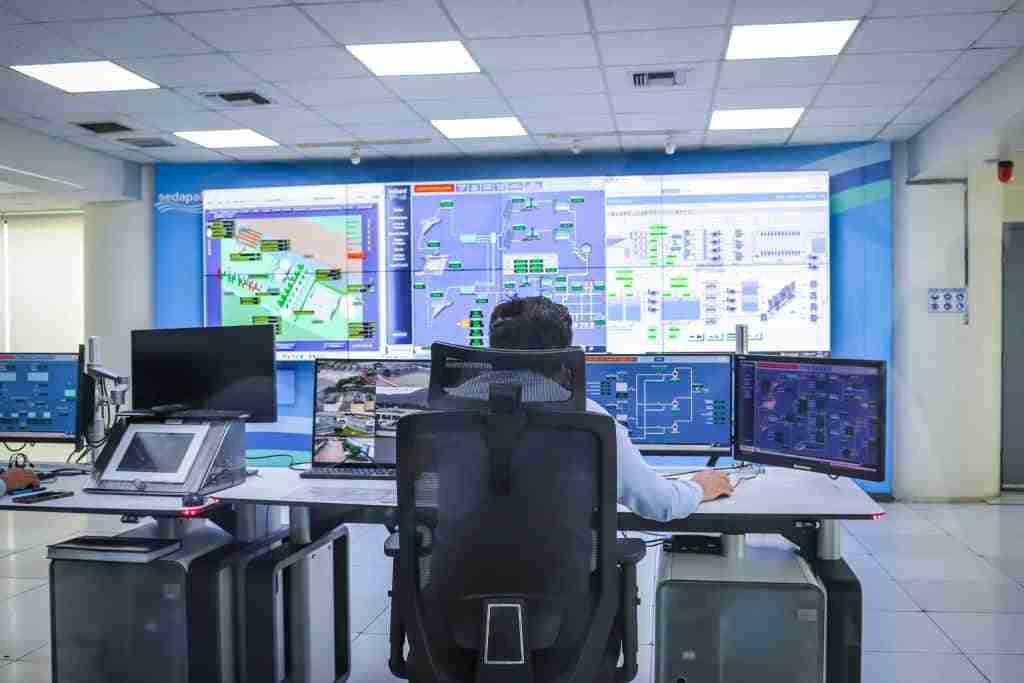
It Catches Failures Before They Happen
The defining characteristic of proactive IT management is that it operates at the diagnostic level – detecting the technical indicators that precede visible failure, not just responding to failures after they occur.
For Brisbane SMBs, this distinction is the difference between a planned component replacement during scheduled maintenance and an emergency call-out on a Thursday morning when nothing will open.
Hard drive health is the clearest example. A drive that is approaching failure produces measurable diagnostic signals – deteriorating SMART scores, reallocated sectors, pending uncorrectable errors – weeks or months before it stops working. In a monitored environment, those signals trigger an alert.
The drive is replaced before it fails, at standard rates, during a scheduled maintenance window. In an unmonitored environment, the first indication of a problem is the drive not working – at which point data recovery becomes the priority rather than prevention.
What XCD IT’s Monitoring Platform Watches Around the Clock
The scope of what continuous monitoring covers extends well beyond individual device health. A properly configured monitoring and management platform watches every layer of your infrastructure simultaneously – flagging anomalies across hardware, software, network, security, and backup systems before they compound into something more serious. The goal is to keep systems running with less manual intervention.
| What We Monitor | What Happens Without Monitoring |
| Drive health (SMART diagnostics) | Drive fails without warning – data loss and unplanned downtime |
| Server storage capacity | Disk fills completely – applications crash, services stop |
| Backup job completion | Backup failure discovered only when recovery is needed |
| Unusual network traffic patterns | Security incident escalates undetected until significant damage is done |
| SSL certificate expiry | Customer-facing HTTPS service goes down without warning |
| Devices missing security patches | Known vulnerabilities remain exposed until software updates are applied – exploitation risk grows daily |
| Server temperatures | Hardware shuts down unexpectedly under thermal stress |
| Services stopping overnight | Business arrives to find critical systems offline |
For Brisbane SMBs running a mix of on-premise servers, cloud services, and distributed staff devices, this level of visibility across the full environment is what monitoring and maintenance is designed to provide – continuously, not just during business hours.
The Incidents That Never Get Reported
The most accurate measure of effective monitoring isn’t the number of alerts generated or the speed of incident response. It’s the number of incidents that never occurred because a warning sign was caught and resolved before it escalated.
A server storage alert that triggers at 85% capacity and is resolved by archiving old data before the disk fills – that’s not a support ticket. It’s a routine maintenance action that prevented an application crash. A backup job that fails on a Tuesday night, is flagged immediately, investigated, and corrected before Wednesday’s run – that’s not an incident. It’s a monitoring system working as it should.
For Brisbane small businesses, these quiet resolutions happen consistently in a well-monitored environment. They don’t generate invoices. They don’t appear in downtime reports. They don’t require anyone to call a client and explain why something isn’t available. They just don’t happen – and that absence of disruption is exactly what effective monitoring and maintenance looks like when it’s working properly.
After-Hours Monitoring Is Where the Value Is Greatest
The majority of hardware failures, backup job failures, and service outages occur outside business hours – overnight, on weekends, and during public holidays. While planned downtime for updates, patches, or repairs can be scheduled to limit disruption, the real cost escalates when downtime hits unexpectedly after hours, when no one in the office is watching and problems have the most time to develop undetected.
A drive that begins failing at 11 PM on a Sunday in a monitored environment triggers an alert immediately. The issue is logged, assessed, and a plan is in motion before the business opens on Monday morning. In an unmonitored environment, that same drive fails progressively overnight, and the first indication of a problem is staff arriving on Monday to find their systems won’t start.
An incident response plan improves the handoff from an overnight alert to clear morning action.
The gap between those two outcomes – a planned Monday morning component replacement versus an emergency Monday morning data recovery – is the practical value of 24/7 monitoring for a Brisbane small business. It isn’t theoretical. It’s the difference between a normal week and a very difficult one.
Common IT Downtime Mistakes Brisbane SMBs Make
Most IT downtime experienced by Brisbane small businesses isn’t the result of bad luck or unavoidable failure. It’s the result of predictable gaps in how infrastructure is managed – gaps that accumulate gradually and go unnoticed until something significant goes wrong. These are the mistakes that appear most consistently across SMB environments in Brisbane and South-East Queensland.

Assuming Backups Are Working Without Testing Them
Backup software is configured, nothing has visibly failed, and nobody has reported a problem – so the backups must be fine. This assumption is one of the most dangerous in IT, because backup jobs fail silently and continuously without producing any visible signal in the office. A drive fills up and stops accepting new backup data. A service stops running after a software update. A configuration change breaks the backup schedule without triggering any alert.
The problem with discovering a backup failure is that it almost always happens at the worst possible moment – during a recovery attempt, after data has already been lost or a system has already failed. At that point, the original incident has become significantly more serious, and the options available for recovery are considerably more limited than they would have been had the backup failure been detected weeks earlier.
No Visibility Into What Happens Outside Business Hours
Most hardware failures, service outages, and backup job failures occur outside business hours – overnight, on weekends, and during public holidays. These are the periods when problems have the most time to develop undetected and when a business without monitoring has no visibility into what its infrastructure is doing.
A Brisbane SMB with no after-hours monitoring is effectively flying blind for the majority of the week. A drive that begins failing at 11 PM on Friday has the entire weekend to deteriorate before anyone arrives on Monday morning to discover the consequences. The same incident in a monitored environment triggers an alert immediately – and is resolved before the business week begins.
Treating Every IT Problem as an Emergency
In a reactive IT model, every problem is urgent by definition – because there is no early warning system to catch issues before they escalate. A drive that could have been replaced during planned maintenance at standard rates becomes an emergency call-out. A backup failure that could have been corrected quietly becomes a crisis when data recovery is needed. A patch that could have been applied on a scheduled cycle becomes a security incident when the vulnerability it addresses gets exploited.
Monitoring converts emergencies into scheduled maintenance by catching the warning signs before escalation occurs. For Brisbane SMBs that find themselves regularly dealing with urgent IT problems, the underlying issue is almost always the absence of a system that detects problems early – not an unusual run of bad luck.
Underestimating the True Cost of Downtime
The IT bill to fix a problem is the most visible component of a downtime incident, but the true cost includes money lost well beyond the visible IT invoice – and consistently the smallest part of the total cost.
Staff time, lost revenue, downstream delays, and client impact all contribute to a figure that most Brisbane business owners have never formally calculated, including how much downtime they actually experience or what it costs over a year.
As the cost breakdown earlier in this article illustrates, a single three-hour outage affecting a small team can produce a total cost of over $2,000 before accounting for the IT recovery bill itself.
Understanding the real cost matters even more because downtime costs in Australia have increased by 47% since 2020.
The businesses that underestimate downtime cost most consistently are the ones that have never worked through the calculation. Once the full picture is visible – staff costs, revenue impact, recovery fees, and downstream delays combined – the investment required for proactive monitoring and maintenance looks very different than it did when only the monthly service fee was being considered.
FAQs About IT Downtime for Brisbane Small Businesses
What Should Your Next Step Be?
IT downtime is not an unavoidable cost of running a business. The most common causes are predictable, the warning signs are detectable, and the gap between a monitored environment and an unmonitored one is the difference between a quiet resolution and an expensive, disruptive incident. When downtime hits, transparent communication and documented recovery steps help protect customers and continuity.
For Brisbane small businesses currently operating without proactive monitoring, the starting point is understanding what a significant IT incident would actually cost – staff time, lost revenue, recovery fees, and downstream delays combined. For most businesses that work through that calculation honestly, the investment in proactive monitoring and maintenance is considerably easier to justify than it appeared before the numbers were on the table.
When you’re ready to compare providers, our guide to the best managed IT providers in Brisbane sets out the local options side by side.
XCD IT provides 24/7 monitoring and managed IT support for small businesses across Brisbane, the Gold Coast, and the Sunshine Coast – watching your infrastructure around the clock, resolving issues before they become outages, and maintaining your environment so it stays secure, reliable, and documented.

Need Reliable IT Without the Surprise Costs?
With XCD IT, you get fully managed IT support for around $100–$250/month per user, with no hidden costs or unexpected bills.
Call 07 3085 7447
For urgent IT issues or immediate assistance
Our support team is ready to help.

- 8+ Best Cybersecurity Companies in Brisbane (2026 Guide for SMBs) - November 7, 2026
- 20 Best Managed IT Service Companies in Brisbane (2026 Guide for SMBs) - November 7, 2026
- Co-Managed IT: How It Works With Your In-House IT Team - November 4, 2026


